If you want to collaborate and share your projects with other members on your team, you will need to upgrade to a Team Account. Team accounts let you invite other developers to share resources and collaborate on projects in Jetify Cloud. Users with a free account can upgrade to a paid team on the dashboard anytime.Documentation Index
Fetch the complete documentation index at: https://www.jetify.com/docs/llms.txt
Use this file to discover all available pages before exploring further.
Creating a New Team Account
- From the Team Selector in the top right of your dashboard, select Create a New Team
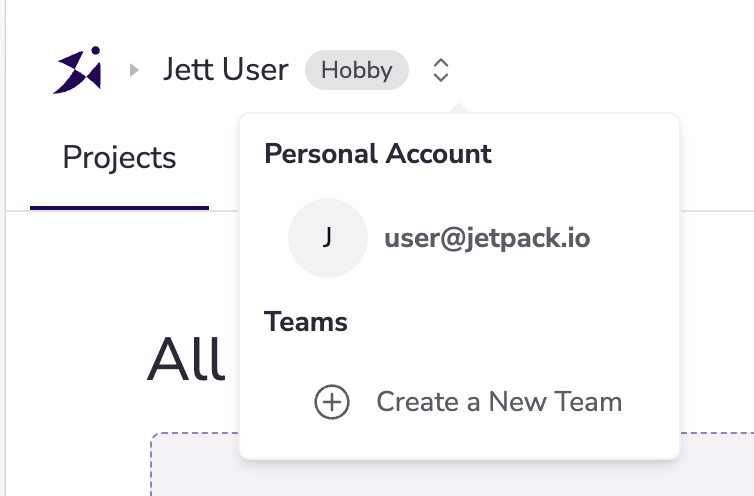
- You may be prompted to sign in again. Log in with the same email or Google Account that you used to create your Account.
- At the bottom of the team selection screen, enter your new Team Name and then click Create Team
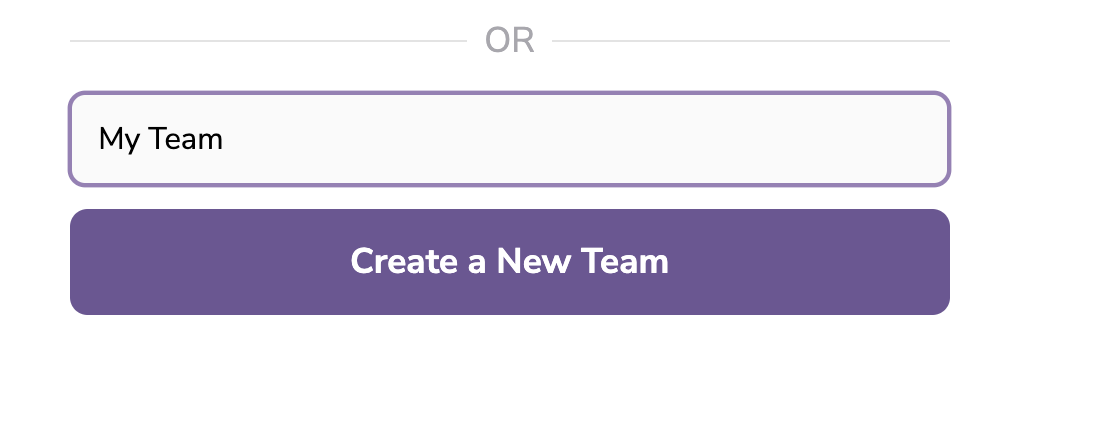
- Your new team will be created, and you will be automatically switched to your new team. You can now invite other members to join your team.